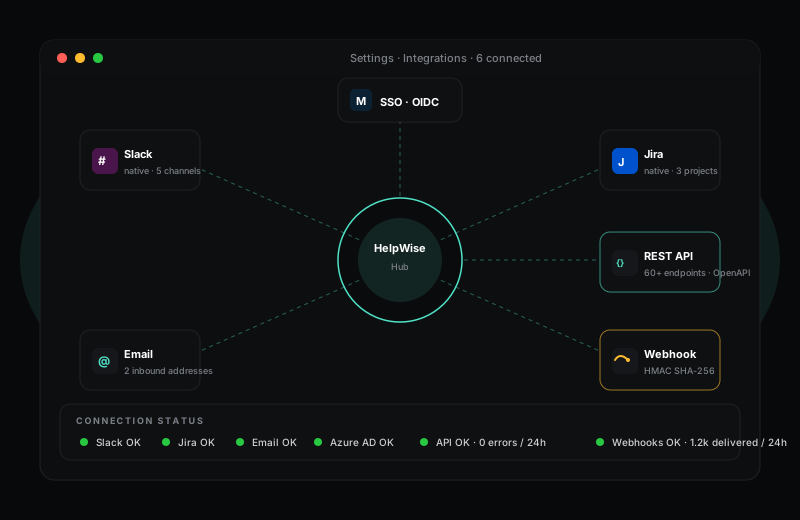
Slack, Jira, your CRM and your own back-office — connected, not isolated.
HelpWise ships with native Slack and Jira integrations, a public REST API covering every part of the product, and HMAC-signed outbound webhooks for everything else. SSO works with any OIDC identity provider. If you can think of a workflow, you can build it.
14-day Pro trial · no credit card required
What you get
Helpdesks have a habit of becoming silos: tickets live there, but the rest of your business runs in Slack, Jira, your CRM and a dozen internal tools. HelpWise treats integration as a first-class concern. Every meaningful event in the platform — ticket created, replied to, escalated, resolved, CSAT received — fires a webhook you can hook into.
For the high-traffic destinations there are native integrations. Slack lets you post incidents to a channel, create tickets via a slash command, and reply with internal notes from a thread. Jira lets you link a ticket to an issue (or open one inline) and keeps the status in sync as engineering moves the issue between columns. Both are configured in Settings → Integrations and take roughly five minutes to get running.
The HelpWise REST API covers every entity the agent UI exposes — tickets, conversations, contacts, companies, KB articles, automations, custom fields, even billing. Every endpoint is documented in OpenAPI; the docs include a try-it console; rate limits are per-key and visible in response headers.
API keys are scoped: a key for your CRM-sync script can be read-only on tickets, write-only on contacts, and blocked from everything else. Keys are also IP-restricted on Enterprise. Webhook payloads are HMAC-signed so your receivers can verify they are genuine before acting. Logs of every API call and webhook delivery are retained for 30 days for debugging.
Frequently asked questions
Sign up in under a minute. No credit card. Cancel any time. If HelpWise does not save your team time, do not pay us.